Friday, December 30, 2005

yabi-0.2 update

Initially I wrote yaBi just for fun. (Read my first post about yaBi here which contains some more screenshots).

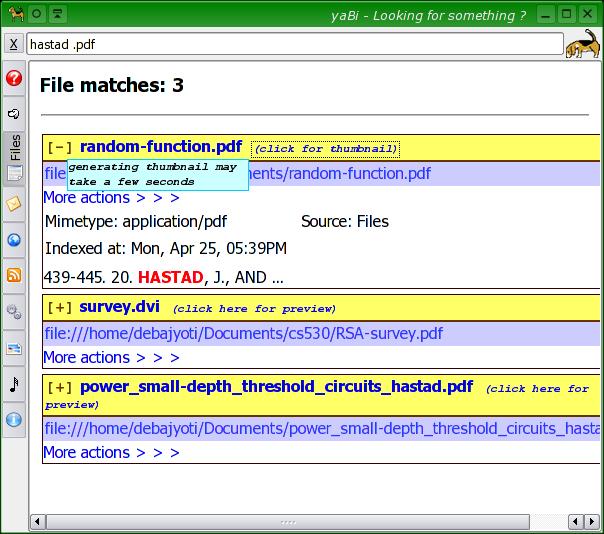
Gradually I implemented some more ideas and made it a full fledged KDE application. I took ideas from Metabar (thanks metabar :) and learnt how to show the application handlers for a particular file, I added support for thumbnail preview. Thumbnail extraction is expensive, so I made it so that the user (i.e. me) needs to click an additional link. Here is a screenshot,Of course, the user can remain content with only the regular beagle snippets (showing the highlighted text).
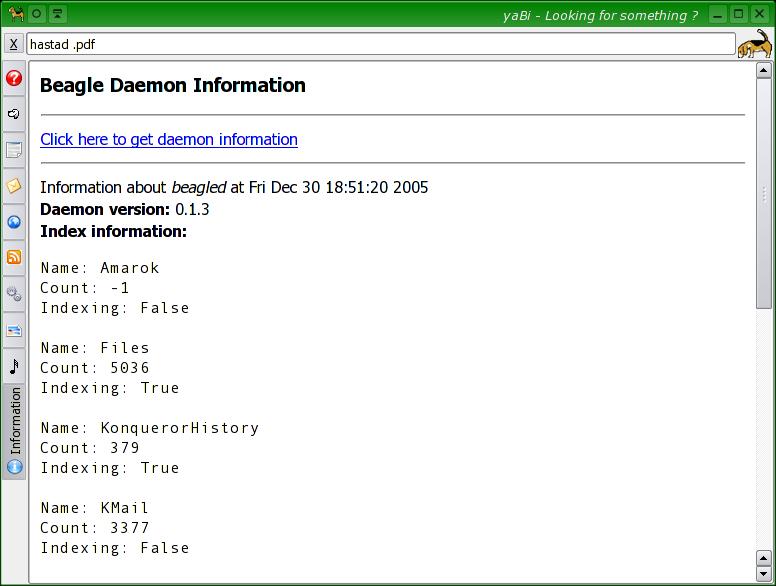
Ahh... I am a bit paranoid user of computer and like to keep everything under constant observation. Generally I use root-tail to display beagle-logs on my desktop. On similar lines, I added beagle index information and current-status information to the information tab.
Get the updated package here.

And one last-comment. I am putting all this online to break the myth that beagle is a gnome application. Actually, beagle is lucene-based personal data indexer written in C#. It happens to use gtk-sharp currently for some technical reasons, which I think can be avoid with some extra work. But other than that, beagle has no gui and thus not a gnome application. It is more of a service which provides C#, C, Python api for usage. Then whats up with the gnome-sharp dependencies ? It so happens that beagle is currently shipped with a prototype search GUI (best); best can be called a gnome app. If you want to taste beagle with only a minimum requirement of gtk-sharp and sqlite2, get this package. This is just a copy of my beagle directory. There was some change from mono-1.1.10 to mono-1.1.12, this package therefore needs mono-1.1.12 (unline the official beagle-0.1.4 release which requires mono-1.1.10). The package is merely a CVS checkout of beagle-0.1.4, configure.in and makegile.am-s modified to drop unnecessary dependencies and changes for mono-1.1.12 added. To use that, untar, un-gzip it. Then run
  • ./autogen.sh --prefix=/usr --enable-libbeagle --enable-python --disable-gui
  • make
  • make install
(change --prefix= to proper prefix)

Wednesday, December 21, 2005

yaBi

Famous beagle-turned-googler Jon Trowbridge commented in the beagle-0.1.3 release notes ... This release also contains our new Python bindings, courtesy of Raphael Slinckx. With them, you can easily access Beagle search results from any Python program. Let the hacking begin...

So, I thought - why not! Following his advice would also be a nice way to say thanks to him. After a few days of effort, I came up with a basic, working version of yet another Beagle (search) interface aka yaBi.

Given my 0-exposure to Gtk and that this will be my first attempt at python (a previous attempt to hack bittorrent source code didnt work out), I chose an easy way out. Copy paste the pybeagle example code into a pykde program. So, yes, sorry to offend other, but this is PyKdeBeagle app. Here is the script and other files which I will keep updated as I find bugs during my daily usage. And for the impatient, here are the screenshots:yaBi starts with the help tab open. It lists the query syntax, what keywords can be used for searching and ways to do complicated query
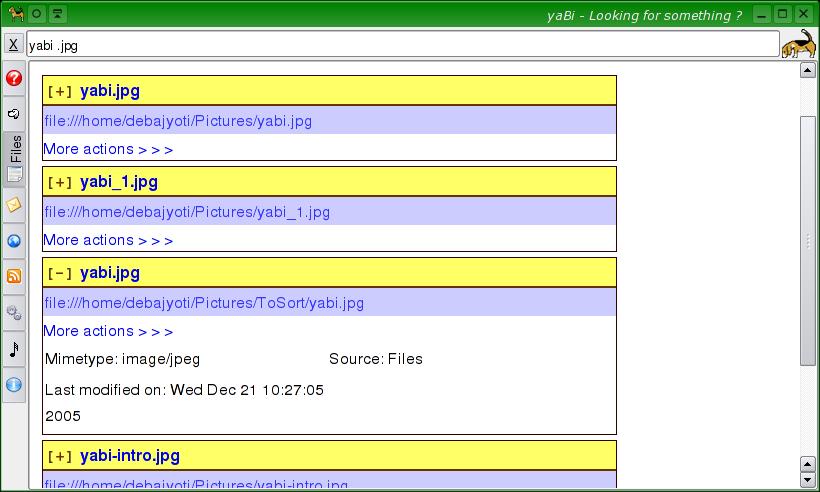
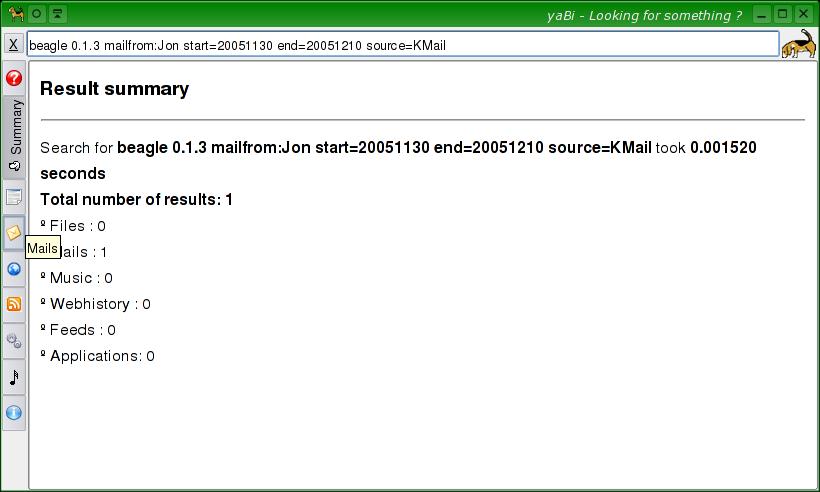
A search for 'yabi' among all .jpg files. The Summary tab provides a summary of the search like the time taken and number of hits in each category.
Lets check the results among "Files". All the fancy gui stuff is done using the fast and snappy KHtml. All the designing is CSS; which means the result pages are skinnable in an infinite number of ways. Lets check out a particular result:
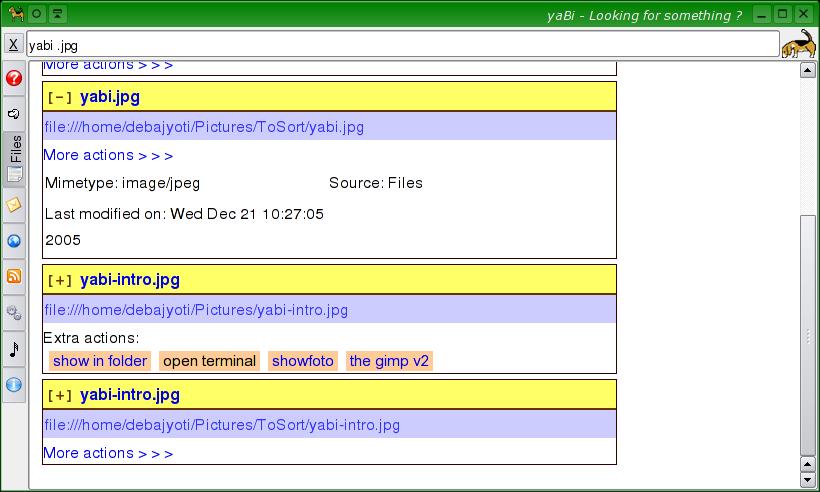
This one looks like the one I want. Clicking on the filename will open it in the default application. For more, click on "More actions..."
yaBi finds out the associated applications for this mimetype (you know, the ones in the right-click context menu) and show them. Use which ever one you like. Lets try another search, this time for mails on beagle 0.1.3 from Jon between 2005-11-30 and 2005-12-10 (also added source=KMail for fun).
Hmm ... only one result. Lets check that.
I already clicked on the [+] to the left of the subject to expand the properties box. Looks like this is the correct email. Simple to guess, clicking on the subject opens the mail with KMail.

The categories are incomplete and are what I use. I will gradually add the others. I have no clue how to handle IM conversations though - never used them with beagle.

There were some bugs (including some crashers) in pybeagle/libbeagle. Thanks to Joe for fixing them today. Thanks to Raphael for his awesome python bindings for beagle.

And lastly, python is cooooooool.

Monday, December 5, 2005

Beagle and Konqueror browsing history

What was the webpage that you visited yesterday on acpi and power buttons ? Dont remember ? No problem if you are a friend of Beagle. Beagle already knew how to index your firefox webhistory. Now it will also remember konqueror browsing history. Hooray!

PS: There is a copy-paste bug (due to me :( ) in the Makefile of beagle-0.1.3 which causes the konqueror backend to not build and install. Use the CVS version, it contains that fix and a couple of other fixes.

Monday, November 28, 2005

Some cool apps without which linux will be boring

(courtsey Friends, Blogs and Slashdot)

* Yakuake: Already wrote about this. Its very convenient when you need a terminal to check something simple or just give a few commands. Always ready for service. Briefly, its a terminal that is always present when you need it and absent when you dont need it.

* root-tail: I was checking out programs that could show me the last log entries (from syslog and other logs, includeing beale logs). I always like to know whats going on with my computer. GKrellm is awesome but sadly it cant show the lines from log files. I probably throw a glance at gkrellm every couple of minutes. Now with root-tail, I can see my logs without any extra effort. Briefly, its like a transparent screen-wide log-watcher. Oh... time to check the desktop again - if anybody is trying to force entry into my machine or if beagle indexed the webpage that I just visited.

* prelink: Simple, prelink binaries to reduce startup time. Google for more.

Sunday, November 6, 2005

Defn: [Geek]

From How to Manage Geeks,
According to the traditional stereotype,
geeks are people who are primarily fascinated
by technology and its uses. The negative part
of that stereotype is the assumption that
they have poor social skills. Like most
stereotypes, it's true in general -- but
false at the level of specifics.
By society's definition, they are antisocial.
But within their own community, they are
actually quite social. You'll find that
they break themselves into tribes:
mainframe-era graybeards, Unix people
who started out 20 years ago,
the new PC-plus-Web generation.

A nice article overall :)

- d.

PS: Watched "Iti Srikanta" yesterday. Nice art film, literally.

Sunday, October 30, 2005

desktop search (read beagle) vs web search (google)

Its been 5 months since I was introduced to beagle and started using it. And thanks to Joe, Jon, Daniel, Fredrik, Varadhan (and many others), beagle is quite mature now. They would say (and me too) home-use safe.

Hanging out in beagle irc channel and sometimes fiddling with the code has given me quite a good exposure of beagle internals. I liked it. With the C bindings (libbeagle) and python bindings (pybeagle), non-C# users can also create cool apps for beagle. I am waiting for somebody to write a kicker applet.

Anyway, I am recently feeling a bit separated from beagle. I was inclined towards beagle because I had to search something and I wasnt sure where to grep and what to locate. But for the last few months, I have hardly used beagle to find something in my computer. On the contrary, I use google probably 100 times a day or more. Why is it that searching in my files is so less infrequent than searching on the web ? It might be that its only me. A computer science research student doesnt need to find a lot of stuff (e.g. papers) among his own files. For him, a lot more is available on the web. So for me, I dont search a lot in my files not because I dont have the tool to search but because I dont have the data to search. Given that desktop-search is the new buzzword in the town, I just hope not many people are like me.

- d.

PS: Next in coming, more KDE support for beagle. Konqueror web-history indexing, Konqueror Bookmark indexing and (probably) thumbnail preview for best results in KDE!!! Stay tuned.

Friday, October 21, 2005

beagle superkaramba

python bindings for beagle is done. Fancy stuff should start pouring in like kicker, gnome applets, superkaramba widgets etc...

[kblogger] test-2

I think I understand the current problem. lets see if this helps :)

last post from kblogger was horrible. lets see if this one work ok.

[kblogger] test

Monday, October 17, 2005

Yeah Quake!

One word YaKuake.

Consequences:
I dont need to click the xterm button or konsole button now and then, type a 1-2 line command to do something and then close it. A konsole is just an Window key.
I dont need the window, better than minimizing - press the window key once again - it hides smoothly.
The hiding and reapperaring animation is pretty cool.
I have access to the same terminal (which can open multiple tabs, btw) on every desktop.
Less number of konsole running, so less resource wasted.
I have my animation time set as ~50ms - so I get the terminal (its already preloaded) without any significant lag (for konsole and even with xterm, it took ~1 second to launch).
And many more ... give it a try. Visit kde-apps for packages etc.